Launching Header & Footer Scripts: My First Shopify App
After seven years building for WordPress and WooCommerce, I published my first Shopify app: Header & Footer Scripts. It lets merchants inject custom JavaScript, CSS, and HTML into their storefront without touching a single theme file.
What it does
Most merchants eventually need to add a tracking pixel, a promo banner, or a small custom script to their store. The usual options are editing theme code directly (risky, easy to break on the next theme update) or hiring a developer for something that should take five minutes.
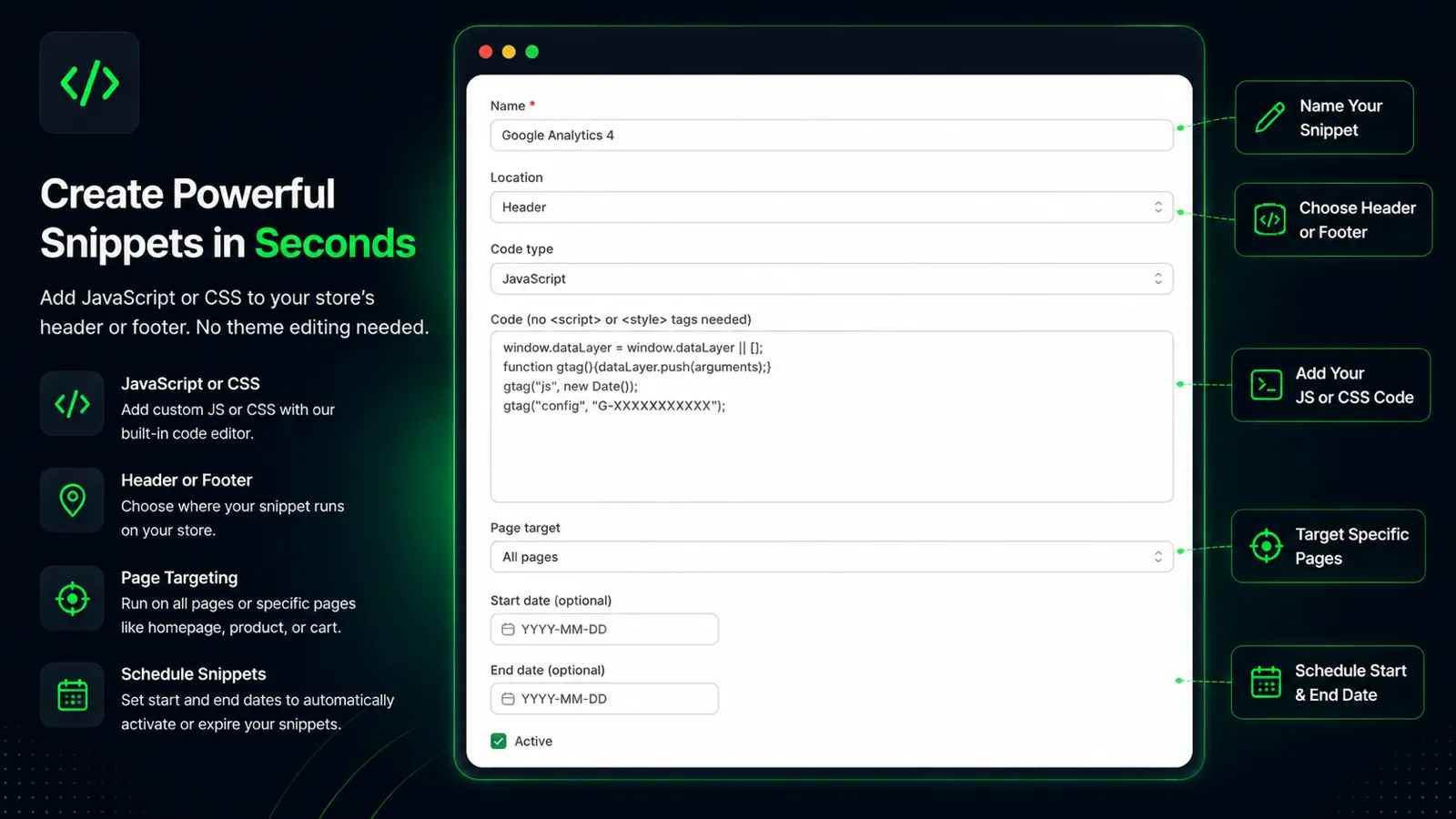
Header & Footer Scripts gives merchants a single dashboard to manage all their custom code. Every snippet is injected through Shopify’s official Theme App Extensions, so theme files are never modified and the store stays fully updatable.
Feature tour
- Three injection points: header, right after the opening body tag, or footer.
- Page targeting: run a snippet on every page, just the homepage, specific products or collections, or everywhere except a chosen target.
- Scheduling: set a start and end date for time-limited campaigns.
- Active and inactive toggle: turn a snippet off instantly without losing the code.
- One-click snippet library: ready-made installs for Google Analytics 4, Google Tag Manager, Facebook Pixel, TikTok Pixel, promo bars, back-to-top buttons, countdown bars, age gates, and floating contact buttons.
- Device targeting: show a snippet on mobile only, desktop only, or both.
- Shopify Sidekick integration: merchants can ask Shopify’s AI assistant to list their snippets or fetch a snippet’s code and schedule.
Use cases
A few concrete scenarios the app is built for:
- Installing GA4, GTM, or a Facebook/TikTok pixel in one click instead of hand-pasting tracking code.
- Running a seasonal promo bar that automatically turns on and off between two dates, no need to remember to remove it.
- Adding an age confirmation notice for stores selling alcohol, vape, or other regulated products.
- Dropping a floating WhatsApp or contact button on every page without a theme edit.
- Testing a promo banner on a single product or collection before rolling it out store-wide.
- Pausing a snippet during a campaign break, then reactivating it later with the code still intact.
What building it taught me
A few things I know now that I did not when I started.
Shopify thinks differently than WordPress
My code no longer runs inside the page. It lives on a separate server and reaches the storefront through an App Proxy, injecting in the browser. Accept that early and everything else gets easier.
The details decide whether it works
Real vendor snippets are messy, so I stopped being clever and let merchants paste code as-is. Stored scripts need rebuilding to run. Collapsing three storefront requests into one paid off on every page load.
The platform sets the rules, not me
A stubborn save bar, a near-miss that almost wiped my live extension, and GDPR webhooks that are mandatory even when you store no customer data.
Getting live is half the craft
Passing review, using Polaris and Shopify billing, and running production on Railway. Hosting and Shopify config are two systems, and both have to be right.
The takeaway
The hard part was thinking in Shopify’s model, not writing harder code.
Why this matters if you already work with me
I am not leaving WordPress and WooCommerce. That is still where most of my track record lives: seven years, 130,000+ live sites, plugins used by hundreds of thousands of merchants. But I am now taking Shopify app development and customization work too, and this app is proof I can carry a project through Shopify’s app review process, not just read the docs.
If you need a custom Shopify app, a theme customization, or help wiring up a store integration, get in touch or check out Header & Footer Scripts directly.