What Is Shopify Tunnel? Explained for Beginners
When you run a Shopify app locally, it lives at http://localhost:3000. Only your own machine can see it. Shopify’s servers, sitting somewhere on the internet, have no path to reach inside your computer. That is the problem a Shopify tunnel solves.
The Toy Shop Analogy
Imagine you built a shop inside your house. Your friends outside cannot see it. So you dig a secret tunnel that connects your indoor shop to the street. Now your friends can walk through that tunnel and visit.
Shopify Tunnel works exactly like that.
Why Localhost Is Unreachable
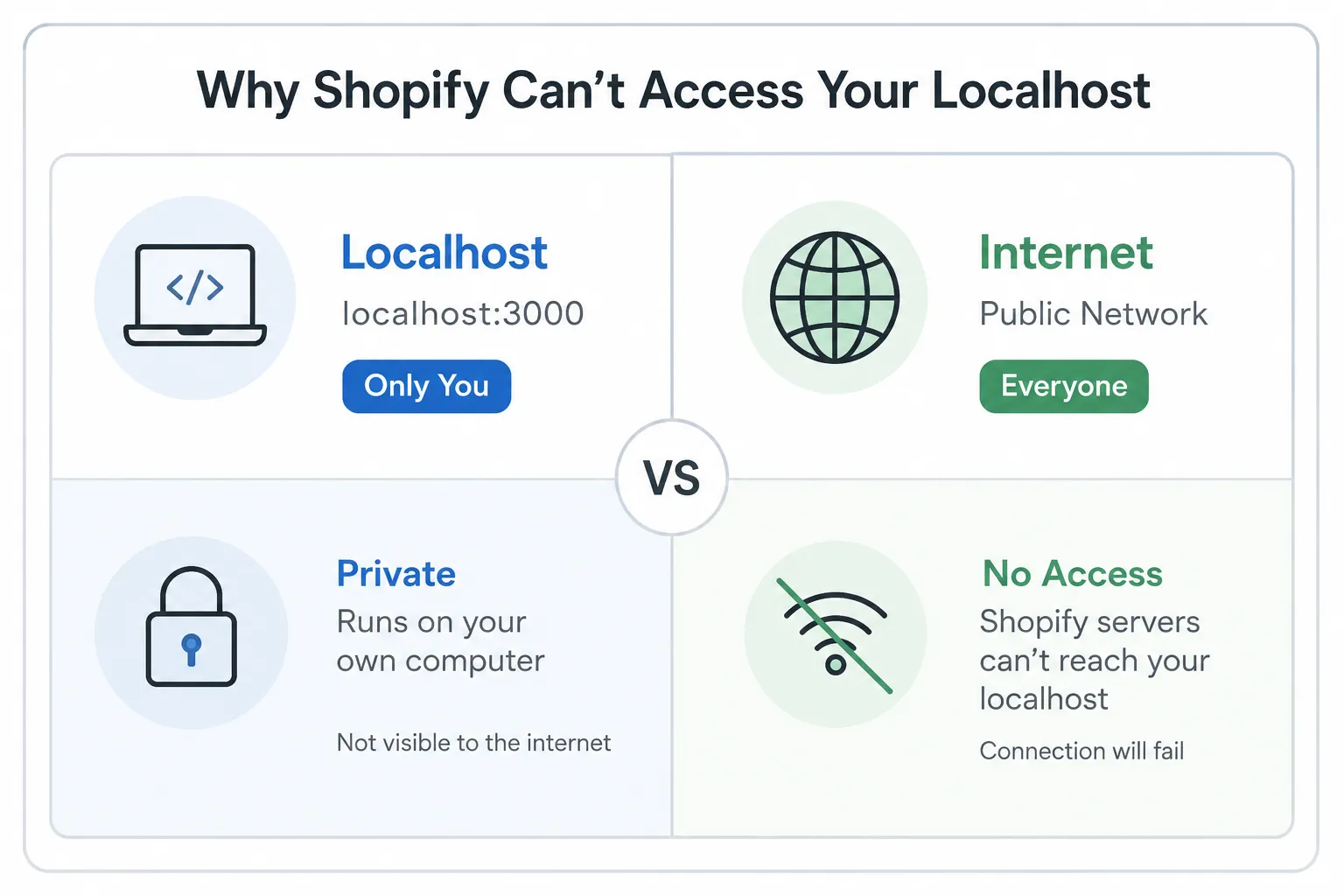
localhost is a special name that means “this computer only.” When you run npm run dev or shopify app dev, your app starts on a port like 3000 or 8080. Nothing outside your machine can connect to that address.
Shopify needs to send HTTP requests to your app for several things during development: OAuth callbacks, webhooks, embedded app loading. None of those work if your app is not reachable from the internet.
How the Tunnel Fixes It
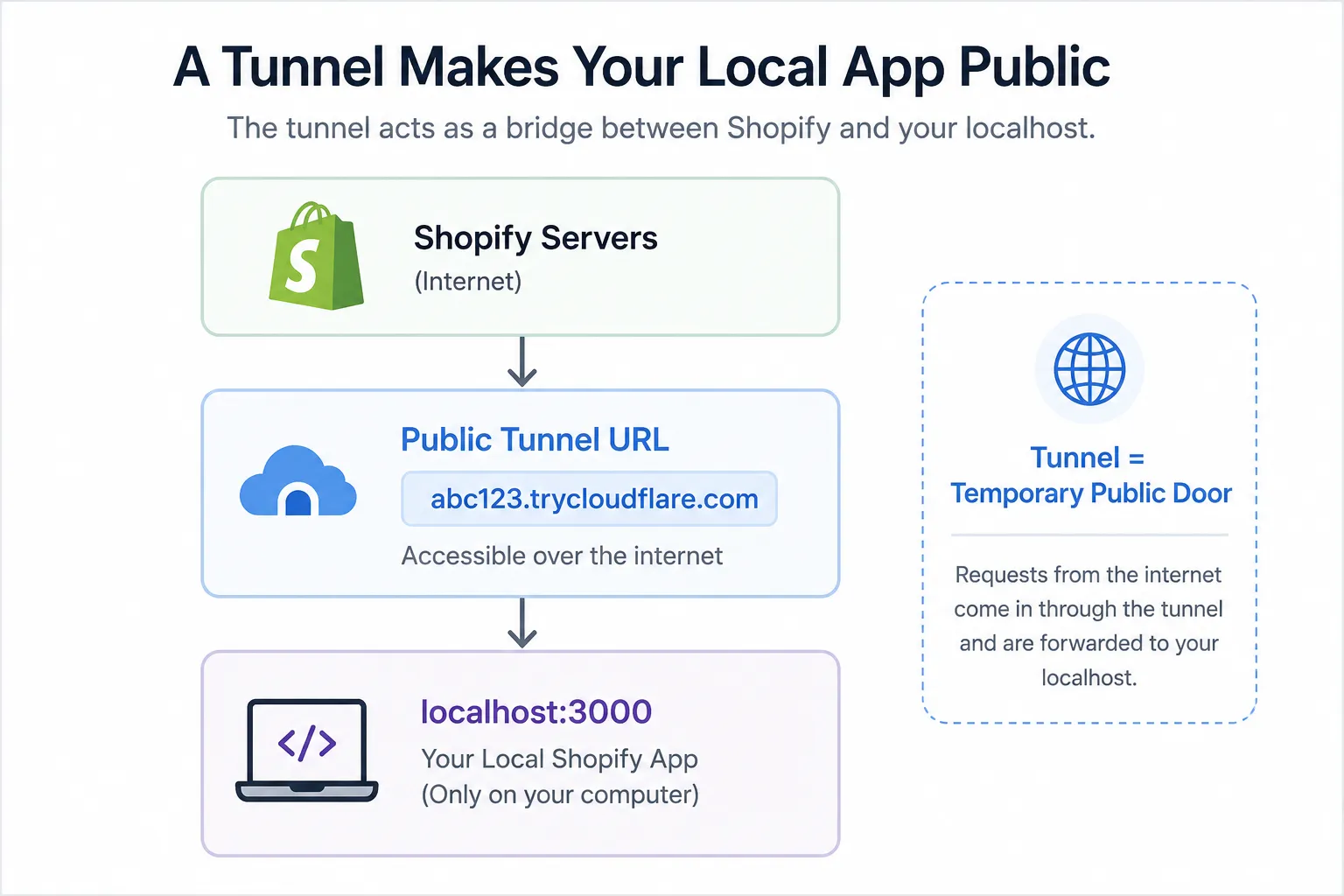
Shopify CLI automatically creates a Cloudflare Quick Tunnel when you run:
shopify app devThe CLI output shows something like:
Tunnel URL:
https://happy-cat-123.trycloudflare.com
Any request Shopify sends to that public URL gets forwarded straight to your local app. The full request path looks like this:
Shopify Server
  -> Public tunnel URL  (happy-cat-123.trycloudflare.com)
  -> Your computer      (localhost:3000)
  -> Your Shopify app
When You Actually Need a Tunnel
| Feature | Needs Tunnel? |
|---|---|
| OAuth login and app installation | ✅ Yes |
| Webhooks | ✅ Yes |
| App proxy requests | ✅ Yes |
| Embedded app (Admin UI) | ✅ Yes |
| Local UI only, no Shopify callbacks | ❌ No |
If you are only building a front-end component with no Shopify callbacks, you do not need a tunnel. The moment Shopify needs to send a request back to your app, you do.
The One Line to Remember
A tunnel is a temporary public door for your localhost.
Beyond Shopify
localhost maps to 127.0.0.1, a loopback address that never leaves your machine. Tunnels are not unique to Shopify. Any feature where an outside service sends data back to your app needs one: think order confirmations, form submissions, or chat messages from a third-party platform. If it calls back to your machine, you need a tunnel.
The default Cloudflare tunnel gets a new URL on every restart. If you need a stable address, use the --tunnel-url flag with a persistent tunnel. I set mine up at dev.helloalberuni.com so the URL stays fixed across sessions.
Need help with your Shopify project?
Local development is just the start. If you need a custom Shopify app, theme customization, or a store integration built properly, book a free discovery call and tell me what you’re building.
Or see my Shopify and WooCommerce services to find out what a full engagement looks like.